
Start with a real document
Write and edit text in a desktop document workspace, with page layout, tables and styles.
WPS Office
Draft letters, reports and everyday documents in WPS Writer. Work with familiar Word file formats and use paragraph styles to make long documents easier to maintain.
Basic editing works offline. Cloud and AI functions require internet access and may require a paid plan; features vary by platform.
See how it works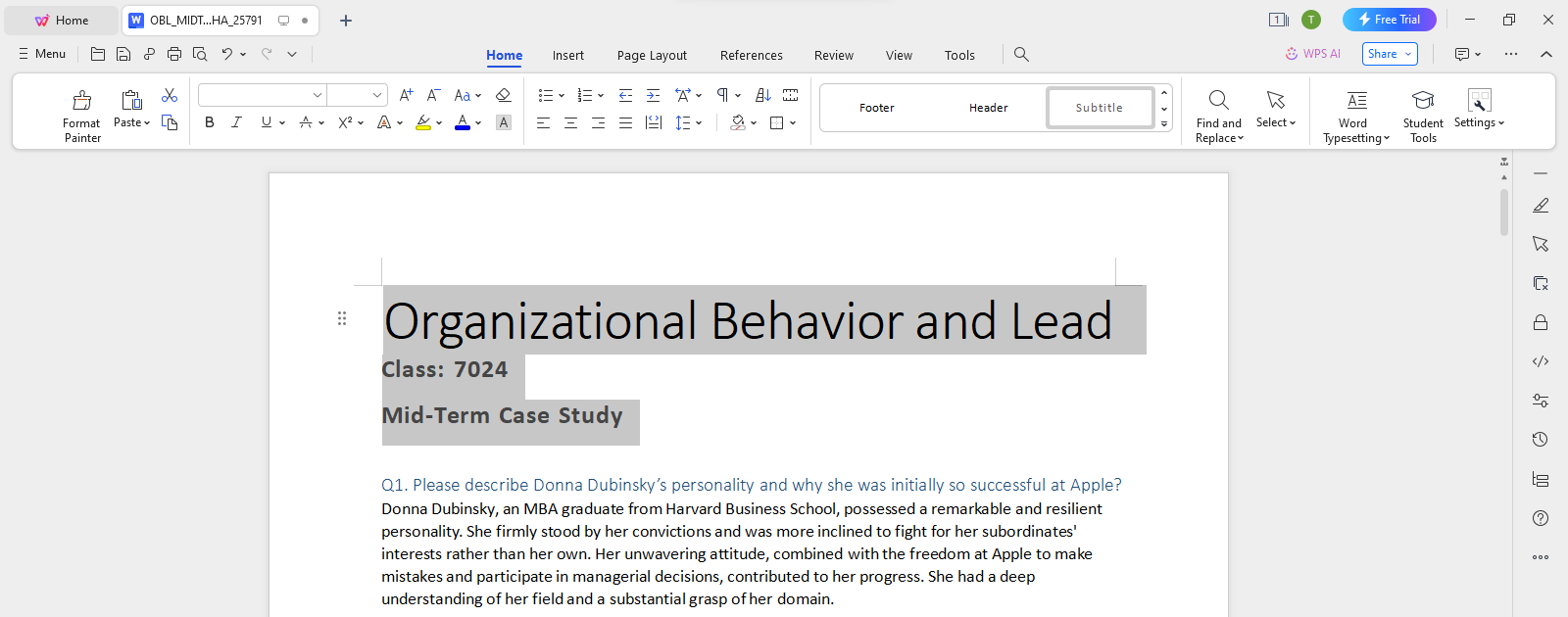
About this workflow
Use WPS Office to work on the file, review the details and save the result in a suitable format.
Write and edit text in a desktop document workspace, with page layout, tables and styles.
Open supported DOC and DOCX files and save a separate editable copy when you make changes.
Check margins and page breaks, then export PDF when the audience only needs to read the document.
WPS Office
Work with your everyday office files in one app. Keep an editable source file and choose the sharing format your audience needs.
Explore this WPS capabilityUsing WPS Office
Install WPS Office, then follow these steps in the app. This webpage does not edit or convert your files.
Explain the proposed work
Name the included deliverables
Record the owner and due date
Open WPS WriterInstall WPS Office, choose Writer and start a blank document or open a supported file.
Help and information
This page downloads WPS Office. Features vary by platform, version and plan.
WPS Writer supports DOC and DOCX. Check complex layouts, fonts and advanced features when exchanging files.
Keep the DOCX as your editable source. Use PDF for a fixed-layout copy when appropriate.
This page explains the workflow and downloads WPS Office. Open your file in the installed app to perform the task. Features and menu names may vary by platform and version.
On Windows or macOS, WPS starts the app download. On Linux, copy the installation command or choose a manual package. On iPhone, iPad, Android or Chromebook, continue to the appropriate app store. This page does not upload, convert or edit your files.
Start with WPS Office
Get WPS Office for Windows.
Basic editing works offline. Cloud and AI functions require internet access and may require a paid plan; features vary by platform.