Instant Page Deletion - Select and delete unwanted pages with a simple click
Custom Page Range - Delete multiple pages at once with customizable page ranges
No File Uploads - Work directly in WPS Office, keeping your documents secure
WPS Office's intuitive PDF page remover makes it easy to select and delete unwanted pages from your PDF documents with precision and control.
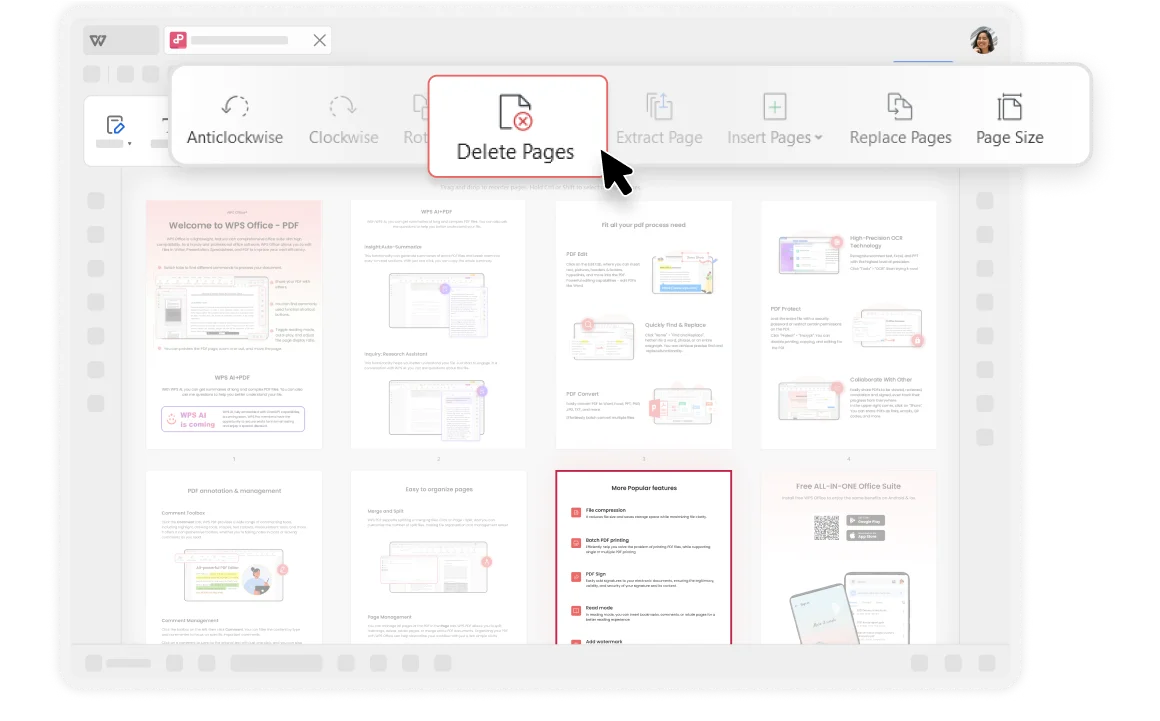
WPS Office's intuitive interface makes it easy to navigate and use the free PDF Page Remover. Simply select the PDF pages you want to remove and click "Delete Pages" to complete the deletion instantly.
With WPS Office's PDF Pages Remover, you can customize which pages you want to remove from your PDF documents by setting specific page ranges. Perfect for removing chapters, sections, or unwanted content.
Delete pages 1-5, 10-15, or any custom range
Remove specific pages like 3, 7, 12 individually
Automatically detect and remove blank pages

WPS Office provides robust PDF editing capabilities that adhere to industry standards for file compatibility and format preservation. With over thirty years of experience and strict privacy policies.
For larger PDF documents, deleting unnecessary pages helps reduce the size of the PDF file, making it easier to share or store. This saves storage space and speeds up file transfers.
If your PDF contains sensitive information, deleting unnecessary pages helps protect this data. Remove irrelevant or redundant pages to reduce potential risk of data breaches.
Open your PDF document in WPS Office. No external uploads needed - work directly within the secure application environment where your files remain private.
Click on the "Page" tab in the top menu. Select the pages you want to delete from the thumbnail view, then click "Delete Pages" to proceed.
Delete selected pages or custom set the deleted page range, then click "OK" to confirm. Save your edited PDF document with only the pages you need.

WPS Office offers a comprehensive suite of PDF tools and office applications alongside the AI Photo Enhancer. From PDF editing to document creation, get everything you need in one powerful platform.
Find answers to common questions about deleting PDF pages and explore helpful guides and tutorials.
Comprehensive guide covering different methods to delete pages from PDF documents using various tools and techniques.
Quick and easy step-by-step guide to removing unwanted pages from your PDF documents efficiently.
Learn how to identify and remove blank or empty pages from your PDF documents to create cleaner, more professional files.
Discover free alternatives to Adobe Acrobat for deleting PDF pages, including WPS Office and other powerful tools.
Experience the easiest PDF page remover that lets you delete unwanted pages instantly while keeping your documents secure - completely free.
No hidden costs ever
Remove pages in seconds
No file uploads needed
Available on all platforms:

Free PDF page remover tool with instant deletion and secure processing.


