FREE PDF Editor Made Simple for Everyone
Edit Like Word - Easily edit PDF pages, layout and text content with user-friendly tools
Complete PDF Toolkit - Fill forms, add images, watermarks, signatures, and organize pages
Trusted & Secure - 30+ years of experience with strict privacy policies
PDF DOCUMENT
Edit PDFs However You Like
WPS PDF Editor provides all the tools you need to edit, organize, and enhance your PDF documents with professional-grade features that are available in WPS Office to use.
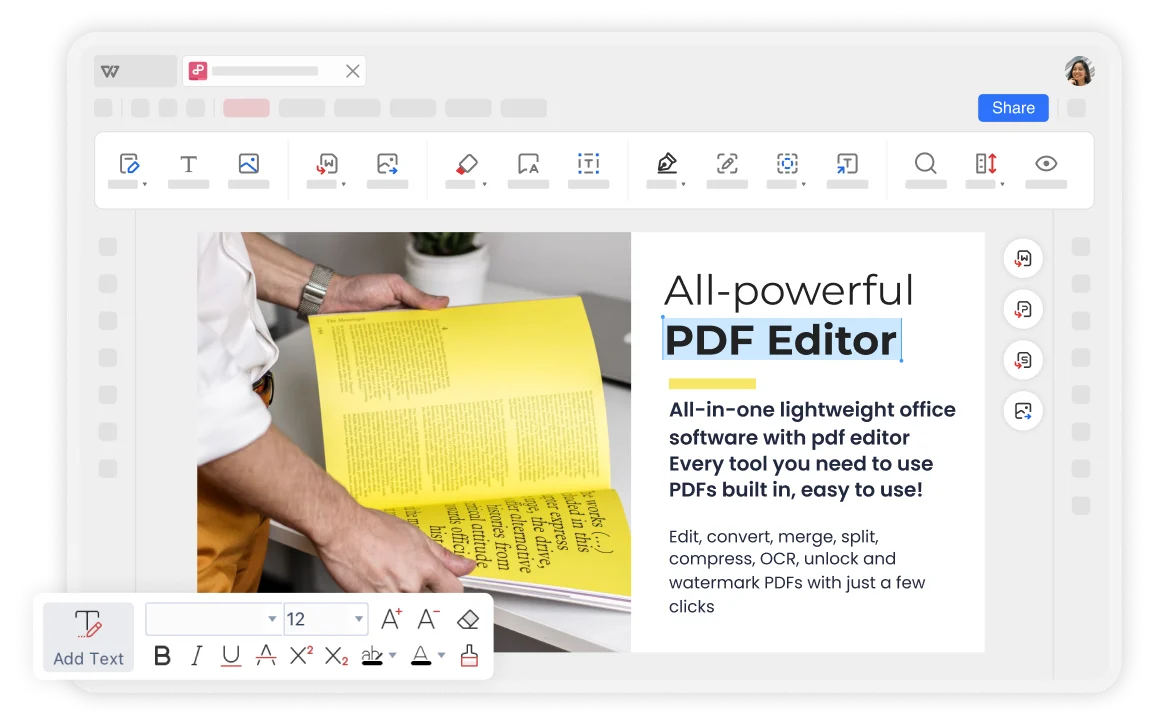
Professional PDF Editing Made Easy
Edit PDF documents with the same ease as Word documents. Add, modify, or remove text, images, and other elements while maintaining perfect formatting and layout integrity.
- Edit Text: Effortlessly edit text in PDF documents with user-friendly editing tools. Add new links to text or pages.
- Fill Out Forms: Filling out forms in PDF files with incredible accuracy and customizable form layouts.
- Add or Remove Images: Quickly add or remove PNG and JPG images in PDF documents with ease.
Signatures, Watermarks & Page Organization
Add professional signatures and watermarks to secure your documents. Organize PDF pages with simple drag-and-drop functionality for complete document management.
Add Watermark and Signature
Electronic signature and watermark tools for document security
Organize PDF Pages
Drag and drop pages to rearrange or reorder with ease
Insert or Delete Pages
Add new pages or remove unwanted ones with a single click

Security and Reliability
WPS is considered more secure compared to other online software. With over thirty years of experience, it boasts strict privacy policies that ensure the security of customer materials.
Cloud Based Services
Using WPS Office PDF online tool allows any device to access and create your PDF files, ensuring user convenience and flexibility. Works on Windows, MacOS, Linux, Android, and iOS.
Complete PDF Toolkit
All-in-one PDF solution with editing, conversion, compression, merging, splitting, signing, and more. Everything you need for professional PDF management.
Simple PDF Editing Workflow
Open a PDF
Open your PDF document in the WPS Office. Access all PDF editing features directly within the application for seamless document management.
Add What You Want to Edit
Click "edit pdf" and confirm what you want to edit for your PDF file in WPS Office. Choose from text editing, image management, or form filling.
Edit on PDF
Choose "organize pdf" to add or delete text, images and annotations from the PDF editor tab. Download or export your edited PDF files from WPS Office.

Explore More Features
WPS Office offers a comprehensive suite of PDF tools and office applications. From PDF editing to document creation, get everything you need in one powerful platform.


FAQs & Hot Topics
Find answers to common questions about PDF editing and explore trending guides to master WPS PDF Editor.
Frequently Asked Questions
Hot Topics
How to Highlight a PDF in WPS Office
Learn how to highlight text in PDF documents using WPS Office's annotation tools for better document review and collaboration.
Full Edit PDF Files for Free with Online PDF Editor
Complete guide to editing PDF files for free using WPS Office's online PDF editor on Windows with full editing capabilities.
Best Software to Edit PDF Files Offline
Discover the best offline PDF editing software options and learn why WPS Office stands out as the top choice for professional PDF editing.
How to Edit PDF Files Free in a PDF Editor
Step-by-step instructions on how to edit PDF files for free using professional PDF editor tools and features in WPS Office.
Start Editing PDFs Like a Pro Today.
Experience the most user-friendly PDF editor that makes editing as easy as Word. Edit text, add images, fill forms, and organize pages - available in WPS Office.
available in WPS Office
No hidden fees or limits
Easy to Use
Edit like Word documents
Secure & Trusted
30+ years experience
WPS Office apps:

Start Editing PDFs Like a Pro
Experience the most user-friendly PDF editor - available in WPS Office.