Extract Individual Pages - Extract specific pages or page ranges from large PDF files with ease
No Quality Loss - Extract images and data with perfect clarity and high fidelity
Export to Multiple Formats - Save extracted content as Word, Excel, PowerPoint, or image files
PDF DOCUMENT
EXTRACT OPTIONS
WPS Office PDF Extractor lets you extract individual pages, page ranges, images, and data from PDF documents with perfect quality preservation and multiple export format options.
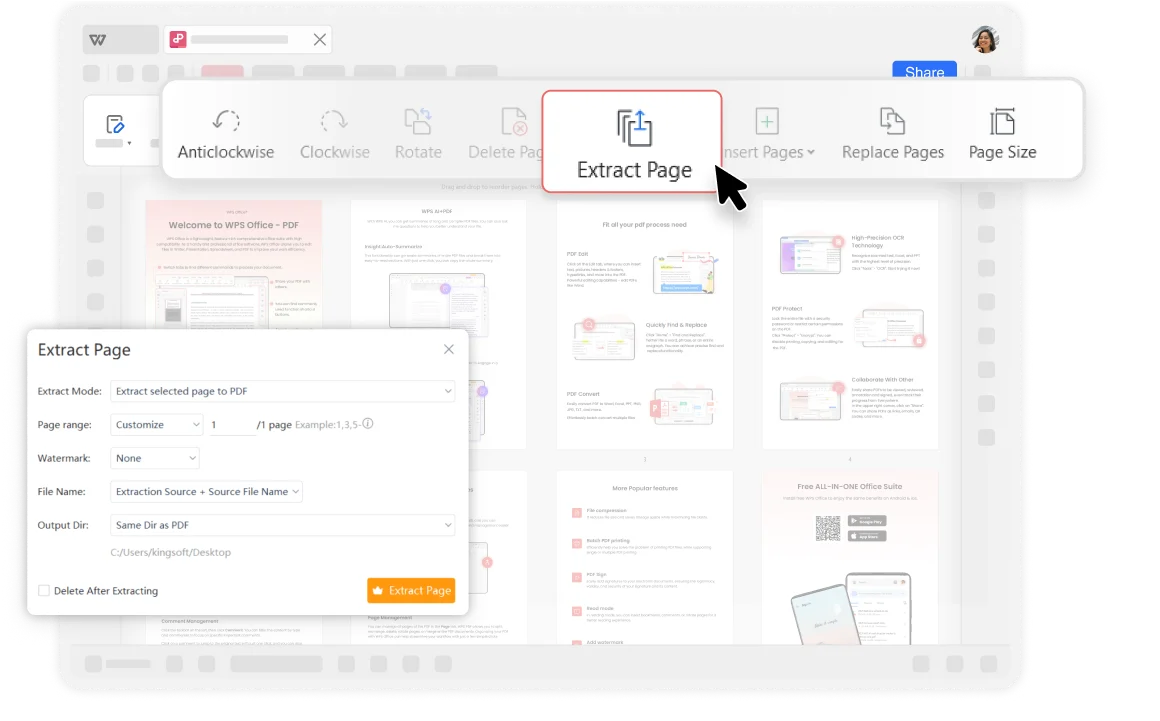
Extract PDF Pages: With WPS Office PDF Extractor, you can extract individual pages or page ranges from PDF documents. This makes it easy to extract specific pages from large PDF files to create new documents or presentations. Whether you need to share specific meeting minutes or extract important report chapters, it can make the process simple and efficient.
Export to Other Formats: You can split and export the extracted pages, images or text to other file formats, such as Microsoft Word, Excel, or PowerPoint for further editing and sharing.
Compared to other online software, WPS is considered more secure. With over thirty years of experience, it boasts strict privacy policies that ensure the security of customer materials. As a reputable office suite, WPS Office provides robust PDF editing capabilities that adhere to industry standards for file compatibility and format preservation.
Trusted by professionals worldwide
Your documents remain secure and private
Full compatibility and format preservation

Extract individual pages or page ranges from PDF documents with just a few clicks. Perfect for creating new documents from specific sections.
When extracting pages or images, ensure that the extracted content maintains the same clarity and quality. Perfect fidelity for professional use.
Export extracted pages, images, or text to various file formats including Word, Excel, PowerPoint, and image formats for further editing.
Open your PDF document in the WPS Office. Load any PDF file you want to extract pages from, regardless of size or complexity.
Open your PDF files and select "Page" on the tab. (Click Tools, select Edit, and find the Extract Page feature)
Specify the pages you want to extract. You can choose to extract individual pages or a range of pages (e.g., 1-3, 5, 7-9). Click "OK" or "Extract" to start the extraction process and save the new PDF file.

WPS Office offers a comprehensive suite of PDF tools and office applications alongside the PDF Extractor. From PDF editing to document creation, get everything you need in one powerful platform.
Find answers to common questions about PDF extraction and explore popular guides.
Learn how to remove unwanted pages from your PDF documents with easy-to-follow steps using WPS Office.
Discover free alternatives to Adobe Acrobat for deleting PDF pages using WPS Office and other tools.
Clean up your PDF documents by removing unwanted blank pages that can clutter your professional documents.
Master page management in Google Docs with this comprehensive step-by-step tutorial for document editing.
Experience the most powerful PDF extractor that preserves quality while offering multiple export formats - completely free.
Perfect extraction every time
Word, Excel, PPT & more
Extract in seconds
Available on all platforms:

Extract pages, images, and data with perfect quality - completely free.


