Advanced OCR Technology - Convert scanned reports, invoices, and forms into fully editable spreadsheets
Perfect Structure Preservation - Tables, numbers, and layout elements are retained with precision
Flexible Conversion Options - Choose to merge pages or split across multiple Excel tabs
PDF DOCUMENT
EXCEL SPREADSHEET
Transform any PDF document into a fully editable Excel spreadsheet with advanced OCR technology and perfect layout preservation. Ready-to-use output with no extra formatting required.

Our advanced PDF to Excel tool turns even scanned or image-based PDFs into structured spreadsheets. Smart OCR engine extracts tables, numbers, and text accurately from non-editable elements for seamless analysis.
Transform an entire PDF or selected range into one Excel sheet for unified processing. Alternatively, map each PDF page to its own Excel tab, ideal for complex reports with flexible formatting options.
Choose entire PDF or selected pages for conversion
Merge into one sheet or split across multiple tabs
Choose what suits your data structure with one click

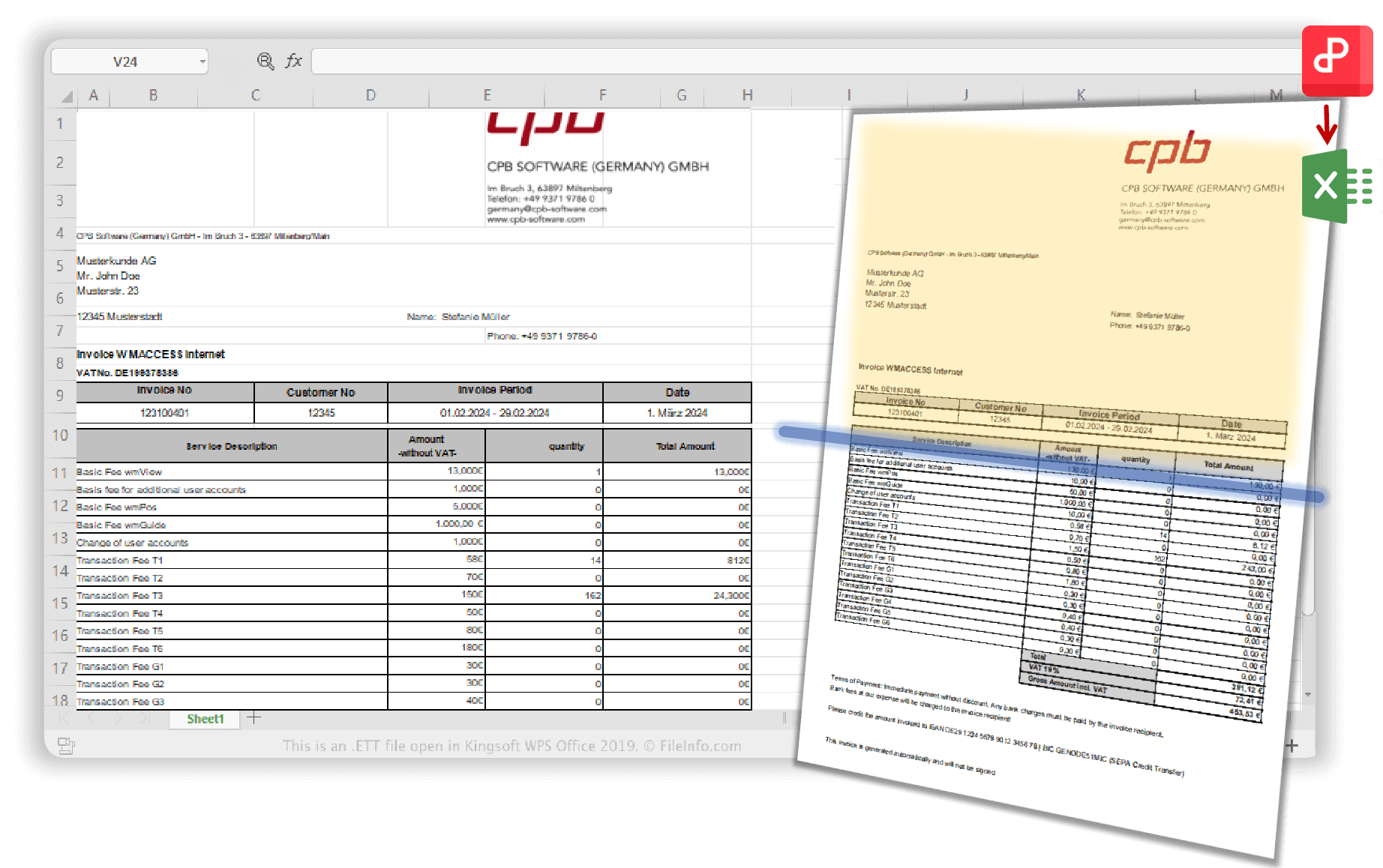
Smart image recognition technology parses even scanned tables or picture-based data precisely. Embedded pictures remain in their original format while all numbers, headers, and layout elements are retained perfectly.
Built-in co-edit support allows your Excel file to be edited in WPS with real-time collaboration. Work across devices without format loss, perfect for team review.
Precise table recognition with advanced OCR transforms even scanned reports into fully editable spreadsheets. Converted files retain structure and clarity for immediate use.
Flexible layout options for any scenario. Whether multipage invoices or single-page forms, choose to merge or split across tabs. Perfect for professionals managing structured documents.
On the Home page, open your PDF file that you want to convert in WPS. The file loads directly in the secure WPS environment without any external uploads needed.
Click 'PDF to Word' > 'To Excel' on the home page, or click 'Convert' > 'PDF to Excel' in the PDF file interface.
Select what and how you want to convert the PDF to Excel. Choose your conversion range and sheet options, then simply click 'convert' to start the transformation process.

WPS Office offers a comprehensive suite of PDF tools and office applications alongside the PDF to Excel Converter. From PDF editing to document creation, get everything you need in one powerful platform.
Find answers to common questions about PDF to Excel conversion and explore trending guides.
Convert PDF documents to Excel spreadsheets online for free with our web-based converter tool.
Learn the best online and offline methods to convert PDF documents to Excel using WPS Office.
Professional guide for accountants on converting financial PDFs to Excel for analysis and reporting.
Download the best free PDF to Excel editor with advanced conversion features and editing capabilities.
Transform any PDF into fully editable Excel spreadsheets with advanced OCR technology and perfect layout preservation - completely free.
Smart image recognition
Layout preserved
Co-edit with teams
Available on all platforms:

Transform any PDF into editable spreadsheets with advanced OCR - completely free.


