Create PowerPoint Online For Free Browser-Based Editor
Work Directly in Browser - No downloads required, access your presentations from anywhere
Cloud Sync & Collaboration - Real-time editing with team members across all devices
Professional Templates - Wide selection of business and creative designs ready to use
SLIDES
EDITOR
Professional Presentations, Anywhere You Work
Access WPS PowerPoint online for flexible editing — work on your slides directly in the browser with cloud sync and template support. Collaborate in real-time with team members across different devices.
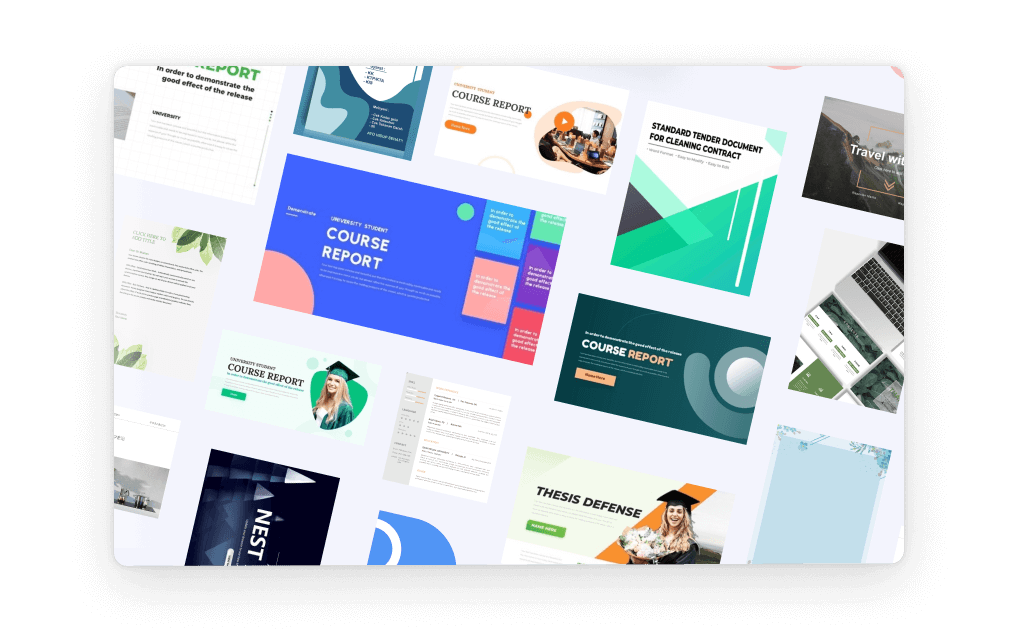
Use Multiple Templates Instantly
Choose from a wide selection of free refined templates designed for business, education, and creative needs. Apply templates with one click to instantly supercharge slide appearance. Save time and stay professional with WPS's built-in design resources.
- Professional Designs: Business, educational, and creative templates for every need.
- One-Click Application: Apply any template instantly to transform your presentation.
- Built-in Resources: Access design resources without leaving the editor.
Sync with WPS Cloud Drive
Work across devices with automatic cloud synchronization using WPS Cloud Drive. Switch from desktop to browser seamlessly without losing any progress. Access your slides anytime, anywhere, with full version control and file safety.
Cross-Device Sync
Seamless switching between desktop and browser
Version Control
Complete file safety and version history
Anywhere Access
Access your presentations from any location

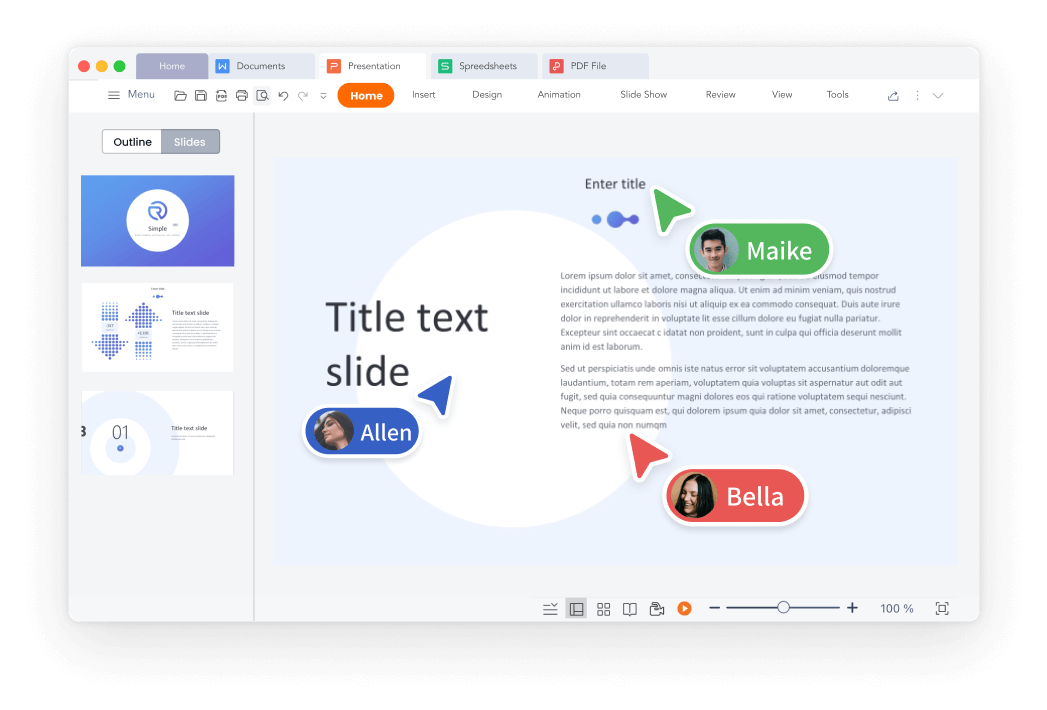
Collaborate in Real Time
Invite others to co-edit slides and leave comments in real time. Improve workflow efficiency by working on the same file with your team. Track changes and updates instantly—everyone stays aligned.
- Team Co-editing: Multiple users can edit the same presentation simultaneously.
- Comment System: Leave feedback and suggestions directly on slides.
- Change Tracking: See all updates instantly with live synchronization.
Generate QR Code
Want to boost interaction? Just type your text, generate a QR code, and let your audience raise their hands—and their phones. Create professional QR codes for business cards in seconds.
Work Online flexible options
WPS online keeps essential slide-editing tools while removing heavy dependencies. Design slides, adjust layouts, add animations, and use templates—all from your browser without installing software.
More in the WPS App
Unleash more powerful slide tools. Switch to the WPS Office App to unlock enhanced features: audio recording, advanced animation effects, slide show recording, and WPS AI assistance.
Simple Online Workflow
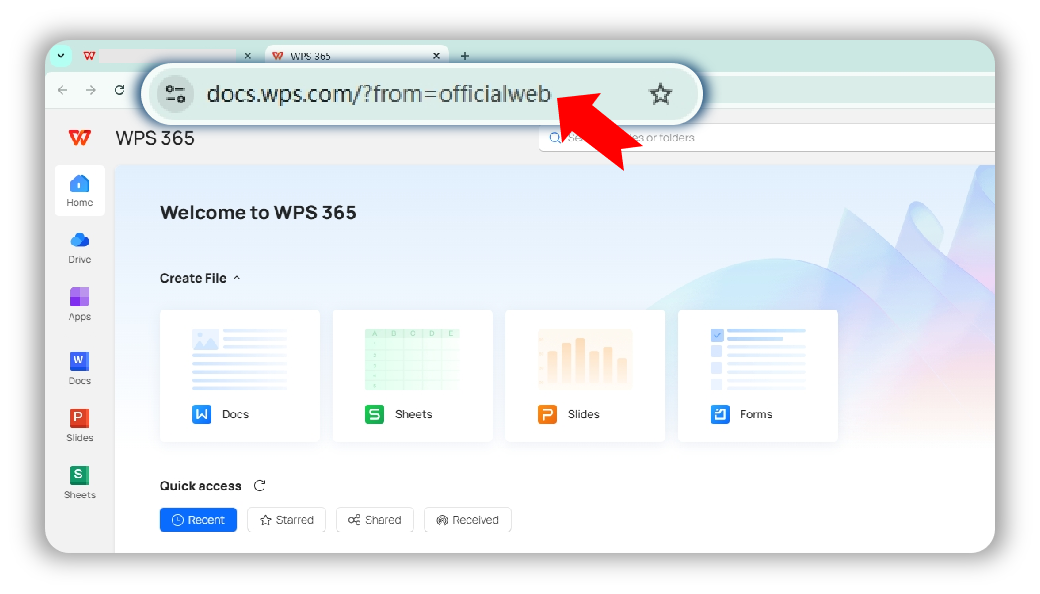
Open Your PPT in WPS Online
Open or create a PPT in WPS online Web Page. Access the browser-based editor without any downloads or installations required.
Customize and Save Your PPT
On the Web page, add, remove, or edit PPT as needed. Use templates, add animations, and collaborate with team members. Don't forget to save your modified PPT to the cloud.
Export or Transfer Files
Save the file to the WPS Cloud, export and download it locally, or send it directly to others. Share your presentation easily on supported devices.
Explore More Features
WPS Office offers a comprehensive suite of PDF tools and office applications alongside the AI Photo Enhancer. From PDF editing to document creation, get everything you need in one powerful platform.


Common Questions & Hot Topics
Find answers to frequently asked questions and explore trending topics about WPS PowerPoint Online.
Frequently Asked Questions
Hot Topics
How to Use WPS PowerPoint Online for Creating Presentations
Complete guide to using WPS PowerPoint Online as the best free alternative to Microsoft PowerPoint for creating professional presentations.
Key Features of WPS Presentation for Beginners
Learn 5 key features every new user should master when getting started with WPS Presentation for creating professional slides.
How to Share PowerPoint Presentations Online
Learn how to share PowerPoint presentations online using WPS Office for seamless collaboration and distribution across teams.
Free Download and Make Attractive PowerPoint Presentations
Download WPS Office to create attractive PowerPoint presentations with advanced features, templates, and professional design tools.
Start Creating Presentations Today.
Access WPS PowerPoint online for flexible editing — work on your slides directly in the browser with cloud sync, template support, and real-time collaboration.
Browser-Based
No downloads required
Real-time Collaboration
Work with teams instantly
Cloud Sync
Access from anywhere
Works on all modern browsers:

Start Creating Presentations Online
Access WPS PowerPoint online with templates, cloud sync, and real-time collaboration - available in WPS Office.