Free Online Document Editor PDF, Word & More
Compatible with Multiple Formats - Edit PDF, Word, Excel, and PowerPoint files directly in your browser
Real-time Collaboration - Work together with your team on documents simultaneously
Cloud Sync & Security - Your documents are automatically saved and encrypted for maximum security
Create, Edit & Collaborate Anytime, Anywhere
Experience the power of cloud-based document editing with real-time collaboration, professional templates, and seamless compatibility with all major file formats.

Create Documents Anytime with an Online Editor
Easily create documents in various formats—Word, Sheet, PDF, and more—anytime with the online document editor. It features a rich collection of professional and refined templates to inspire creativity and streamline your workflow.
- Multiple Formats: Create Word, Excel, PDF, and PowerPoint documents instantly in your browser.
- Professional Templates: Access a rich collection of templates to jumpstart your projects.
- No Installation: Start working immediately without downloading any software.
Edit Document and Collaborate Online
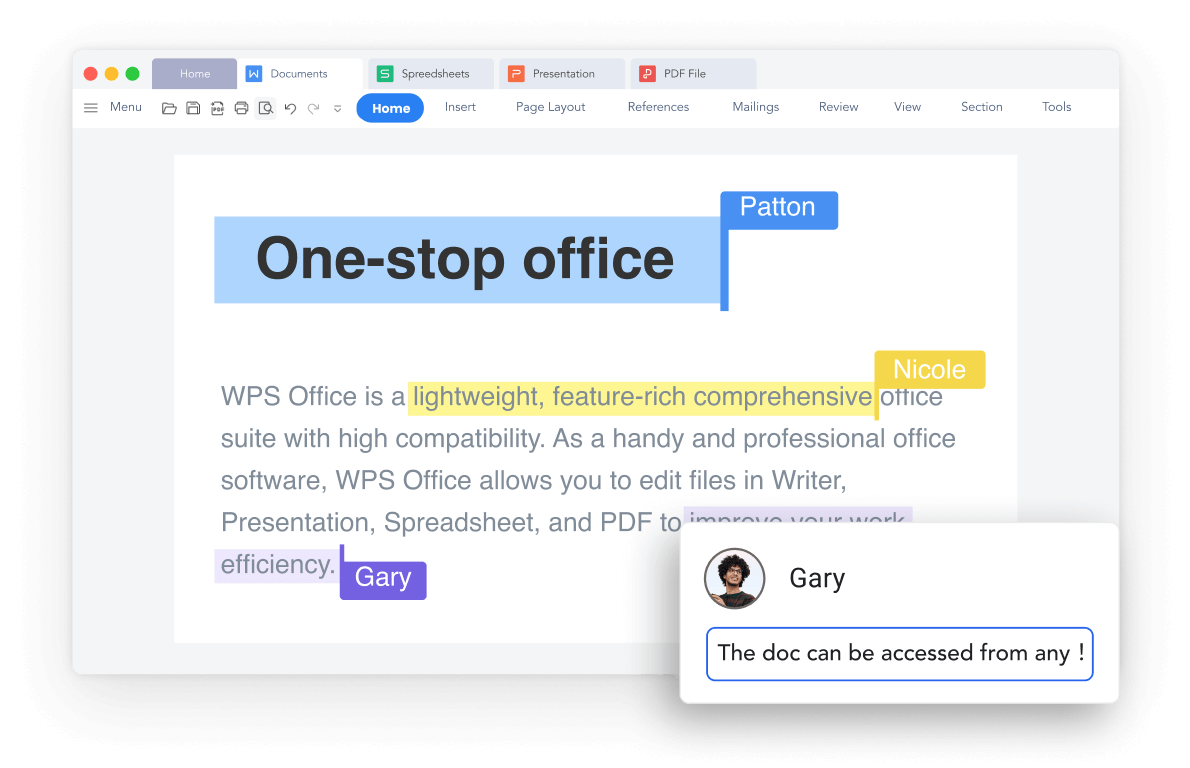
Easily open and edit any document online with real-time collaboration features. Utilize grammar checks, AI translation, and watermark removal tools to effortlessly create professional documents and enhance productivity.
Real-time Collaboration
Multiple users can edit simultaneously
AI-Powered Tools
Grammar check, translation, and smart assistance
Advanced Editing
Watermark removal and professional formatting
Sync Documents Across Devices
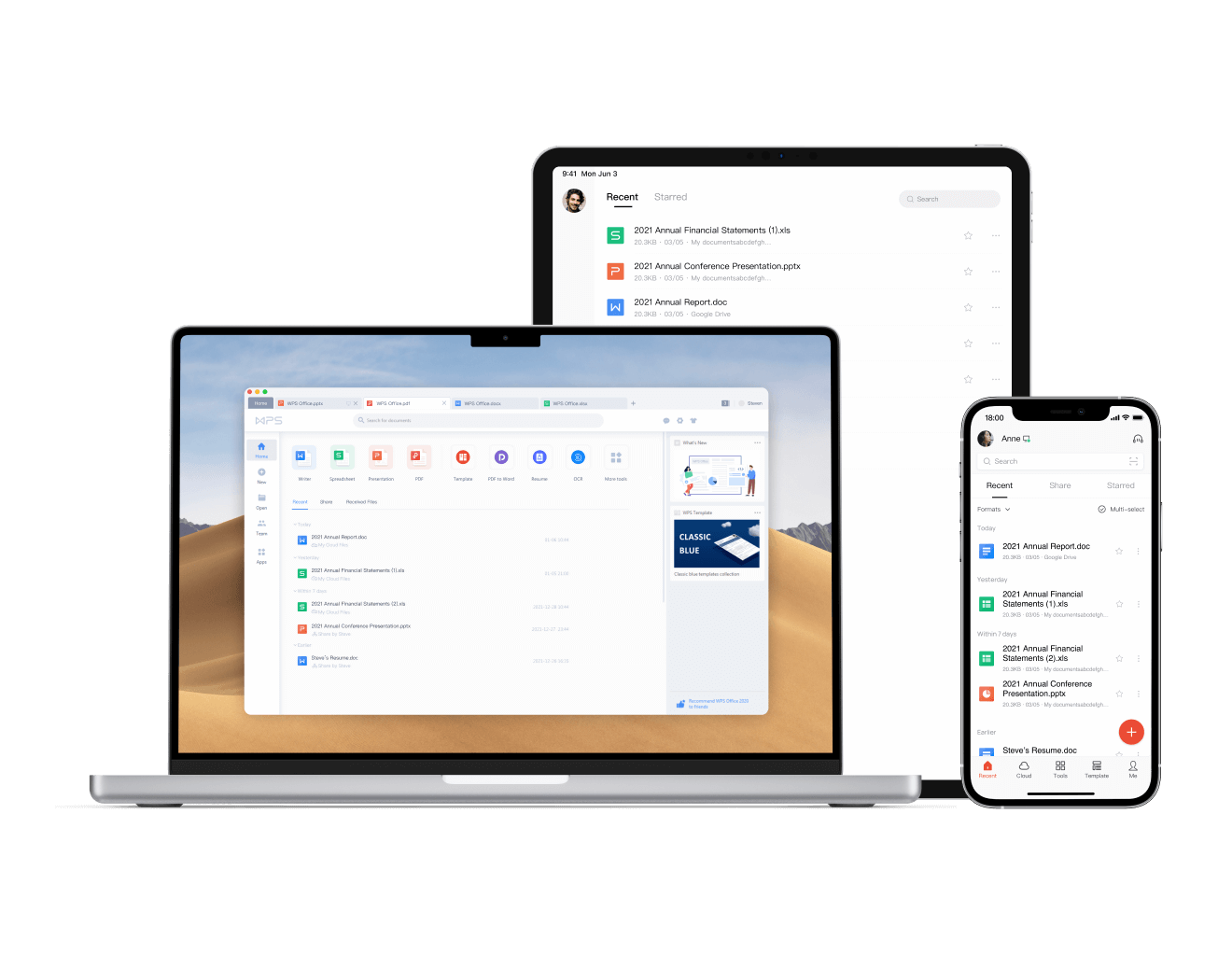
Easily sync editing document progress to the cloud, ensuring your work is never lost or unsaved, also one-click repair files collapse unexpected. Enjoy seamless synchronization between software and web platforms, enabling efficient mobile office work across multiple devices.
- Auto-Save: Your documents are automatically saved to the cloud every few seconds.
- Cross-Platform: Access your documents from any device, anywhere.
- File Recovery: One-click repair for corrupted or damaged files.
Multiple File Formats
Edit different file formats (PDF, Word, Excel, PowerPoint) for free, fully compatible with files from Microsoft, Canva, and more. Start instantly—just click to edit.
Secure & Cloud-based
Work securely with robust privacy protection and data encryption. Your documents are automatically saved to the cloud with enterprise-grade security.
Real-time Collaboration
Multiple users can edit and comment on the same document simultaneously. Perfect for team projects and remote collaboration with live cursor tracking.
Simple 3-Step Editing Process
Open a Document in WPS Online Web Page
Open your document in the WPS Online Web Page. Access various file formats directly in your browser without any downloads or installations required.
Customize and Save Your Document
On the Web page, add, remove, or edit fields as needed. Use advanced editing tools, collaborate in real-time, and don't forget to save your modified document automatically to the cloud.
Export or Transfer Files as Needed
Save the file to the WPS Cloud, export and download it locally, or send it directly to others. Enjoy seamless file management and sharing options.
Explore More Features
WPS Office offers a comprehensive suite of PDF tools and office applications alongside the AI Photo Enhancer. From PDF editing to document creation, get everything you need in one powerful platform.


FAQs & Hot Topics
Find answers to common questions and explore trending topics about WPS Online Document Editor.
FAQs
Hot Topics
How to Use WPS Office Online Document Editor
Complete guide on getting started with WPS Office online document editor and maximizing your productivity.
How to Edit PDFs Online with WPS Office
Learn how to edit PDF documents directly online using WPS Office's powerful editing tools and features.
Free Online PDF Editor with No Sign-Up Required
Discover how to edit PDF files online for free without creating an account or signing up for any service.
How to Co-Edit Text in WPS Office
Master the art of collaborative editing and sharing documents with your team using WPS Office's collaboration features.
Start Editing Today. No Download Required.
Experience the world's most versatile online document editor that supports all major file formats with real-time collaboration - available in WPS Office.
Browser-Based
No software installation
Live Collaboration
Real-time team editing
All Formats
PDF, Word, Excel, PPT
Works on all devices and browsers:

Start Editing Documents Online
Create, edit, and collaborate on documents in your browser - available in WPS Office.