
Number the pages you choose
Apply numbering to the relevant pages while leaving a cover or other excluded pages unchanged.
WPS PDF
Use WPS PDF to place visible page numbers on an existing document. Choose the page range, starting number and position, then review a saved copy before sharing.
PDF editing options and entitlements vary by version and platform. A restricted or signed PDF may require permission or an editable source copy.
See how it works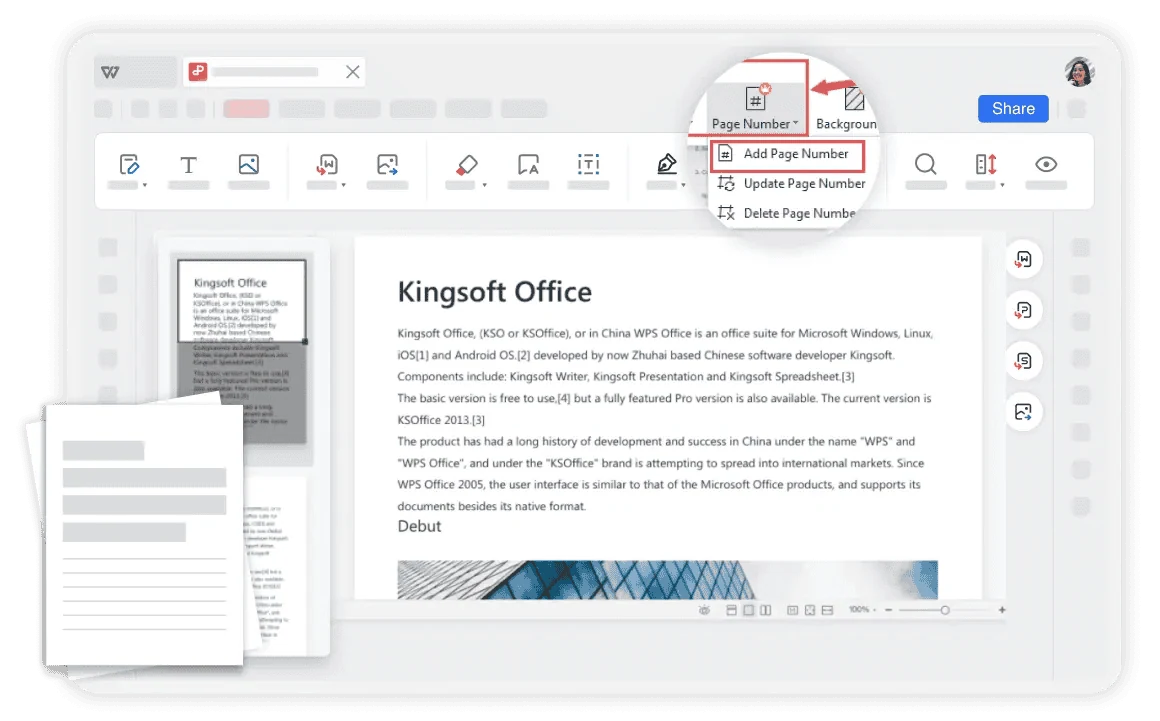
Using WPS Office
Install WPS Office, then follow these steps in the app. This webpage does not edit or convert your files.
Open the PDF in WPSUse a PDF you have permission to edit and retain an original copy.
About this workflow
Use WPS PDF to work on the file, review the details and save the result in a suitable format.
Apply numbering to the relevant pages while leaving a cover or other excluded pages unchanged.
Choose a readable header or footer position and a number style that fits the document.
Save the numbered PDF separately and inspect the first, middle and final numbered pages.
WPS Office
Work with your everyday office files in one app. Keep an editable source file and choose the sharing format your audience needs.
Explore this WPS capabilityHelp and information
This page downloads WPS Office. Features vary by platform, version and plan.
This workflow adds visible numbers to the page content. Viewer navigation labels are a separate feature and should not be assumed to change.
Use the available page-range controls to exclude it, then verify the first numbered page and starting value in the saved file.
No. The download button gets WPS Office for your device. Open and edit the document in the app; the website does not process the file.
On Windows or macOS, WPS starts the app download. On Linux, copy the installation command or choose a manual package. On iPhone, iPad, Android or Chromebook, continue to the appropriate app store. This page does not upload, convert or edit your files.
Start with WPS Office
Get WPS Office for Windows.
PDF editing options and entitlements vary by version and platform. A restricted or signed PDF may require permission or an editable source copy.