Free PDF Creator for New PDF Files
Create Blank PDFs - Start from scratch or convert various file formats into PDF files
Full Customization - Choose page size, style, font, and color to match your brand
Professional Editing - Add text, links, page numbers, and rearrange pages with ease
CREATE BLANK PDF
FROM FILE
PDF PREVIEW
Create PDFs However You Like
WPS Office provides multiple customization options and professional tools to create perfect PDF documents that match your needs and brand aesthetics.
Complete Customization Control
WPS Office provides multiple customization options that allow you to choose page size, style, font, and color to match the aesthetics and brand of your document. Create professional PDFs with effortless page numbering and industry-standard compatibility.
- Page Design: Choose from multiple page sizes, orientations, and layout templates for any document type.
- Typography Control: Access extensive font libraries and styling options to match your brand identity.
- Industry Standards: Ensure compatibility and format preservation with industry-standard PDF creation.
Edit PDF Files Easily
Effortlessly edit text in PDF documents with WPS Office's user-friendly editing tools. Add new links to text or pages, edit existing hyperlinks, and reorganize pages with simple drag-and-drop functionality.
Text Editing
Edit text content directly in PDF documents
Link Management
Add and edit hyperlinks with ease
Page Organization
Drag and drop to rearrange pages

Security & Reliability
With over thirty years of experience and strict privacy policies, WPS Office ensures the security of your documents while providing robust PDF creation capabilities.
Cloud-Based Services
Access and create your PDF files from any device with WPS Office's efficient cloud services. Work seamlessly across Windows, macOS, Linux, Android, and iOS platforms.
Professional Tools
Create professional PDFs with advanced tools for page numbering, formatting, and industry-standard compatibility. Perfect for business and academic use.
Simple PDF Creation Workflow
Open WPS Office PDF
Open your PDF document in WPS Office PDF or start with a new document. The interface provides easy access to all creation tools and templates.
Create Your PDF
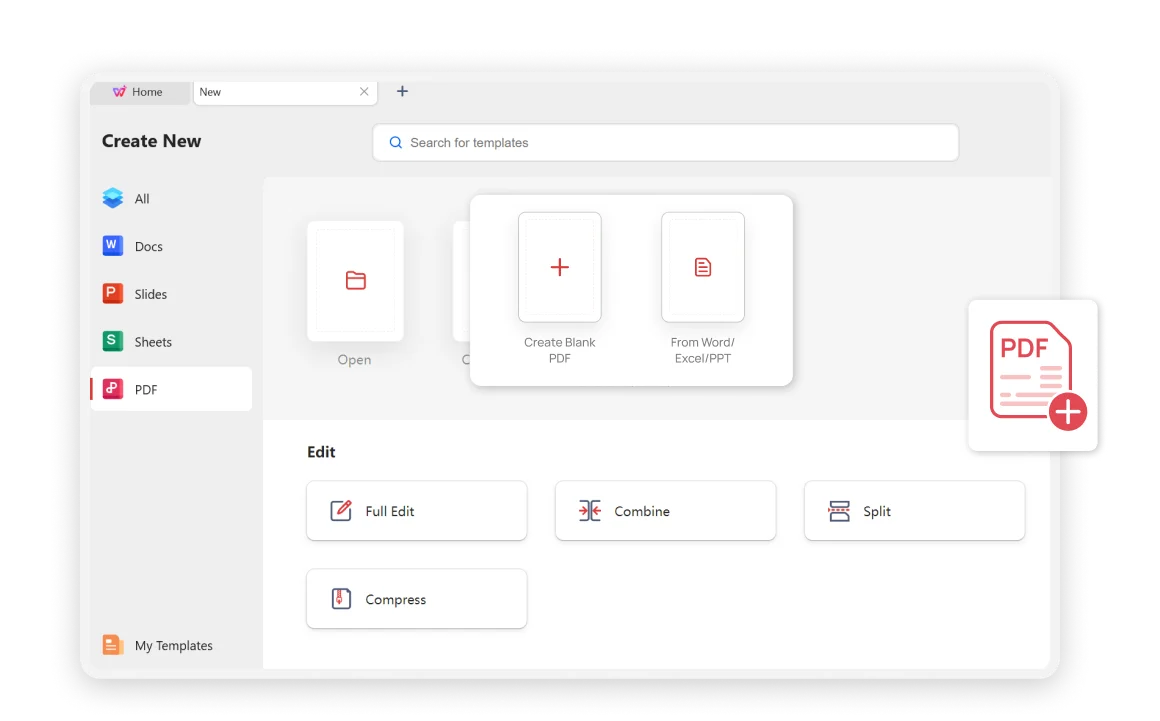
Click the "PDF" tab and select "Create PDF from File" or "Create blank PDF" depending on your needs.
Save Your PDF
Your document is ready! Save the new PDF document, adjust any settings as needed, and click Export to PDF to complete the process.

Explore More Features
WPS Office offers a comprehensive suite of PDF tools and office applications alongside the AI Photo Enhancer. From PDF editing to document creation, get everything you need in one powerful platform.


FAQs & Hot Topics
Find answers to common questions about PDF creation and explore trending guides to master WPS Office PDF tools.
Frequently Asked Questions
Hot Topics
How to Create Link for PDF
Learn how to add hyperlinks to your PDF documents for better navigation and user experience.
How to Create PDF with Transparent Background
Master the technique of creating PDFs with transparent backgrounds for professional design work.
How To Create And Manage Stamps In PDF
Learn the best online and offline methods to create and manage stamps in PDF documents for professional use.
How to Create Fillable PDF Forms
Step-by-step guide to creating interactive fillable PDF forms for data collection and business use.
Start Creating PDFs Like a Pro.
Experience the most powerful PDF creator with complete customization, professional editing tools, and industry-standard compatibility - available in WPS Office.
available in WPS Office
No hidden costs ever
Full Customization
Design your way
Professional Quality
Industry standards
WPS Office apps:

Start Creating Professional PDFs
Experience the most powerful PDF creator with complete customization - available in WPS Office.